
Using Our Contrast Checker to Improve Accessibility
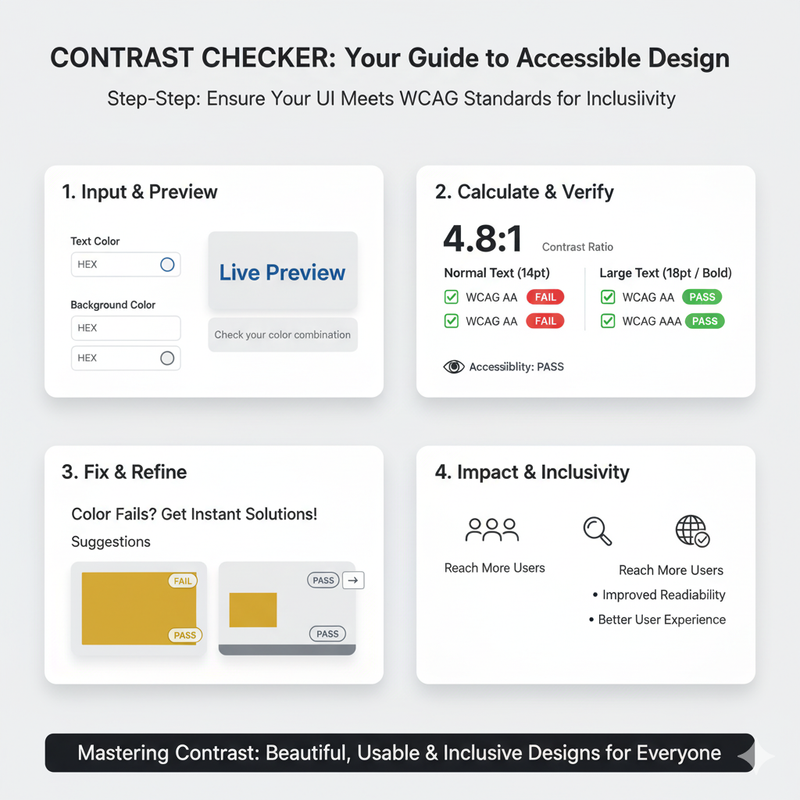
A step-by-step guide on how to use our Contrast Checker to ensure your designs meet WCAG standards, making your websites and apps accessible to more people. Digital accessibility is the practice of making websites and apps usable by everyone, regardless of their abilities. One of the most important aspects of accessibility is color contrast. If there isn't enough contrast between your text and background colors, it can be difficult or impossible for people with visual impairments to read your content. That's why we built our Contrast Checker. It's a simple tool that helps you ensure your designs are accessible to everyone. This guide will walk you through how to use it. First, you'll need to choose your text and background colors. You can enter the colors as HEX, RGB, or HSL values. You can also use our color picker to choose the colors visually. As you choose your colors, you'll see a live preview of what the text will look like on the background. Once you've chosen your colors, our tool will instantly calculate the contrast ratio. The contrast ratio is a measure of the difference in luminance, or brightness, between the two colors. It ranges from 1:1 (no contrast) to 21:1 (maximum contrast). Our tool will then tell you whether your color combination passes or fails the WCAG (Web Content Accessibility Guidelines) standards. There are two levels of WCAG conformance: AA and AAA. Level AA is the minimum standard that most websites should aim for. Level AAA is a higher standard that provides an even better user experience for people with visual impairments. For normal-sized text, you need a contrast ratio of at least 4.5:1 to pass Level AA, and at least 7:1 to pass Level AAA. For large text (18pt or 14pt bold), you need a contrast ratio of at least 3:1 for Level AA, and 4.5:1 for Level AAA. Our Contrast Checker will show you the pass/fail status for both normal and large text, for both AA and AAA levels. If your color combination fails, don't worry. Our tool is designed to help you find a solution. It will automatically suggest accessible alternatives for both your text and background colors. It will find the closest possible colors that meet the minimum contrast requirements, while preserving your original aesthetic intent as much as possible. You can click on the suggested colors to apply them to your preview and see how they look. Using the Contrast Checker is an essential step in any design workflow. It's a simple way to make a big impact on the accessibility of your products. By ensuring that your designs are accessible, you're not just complying with standards; you're creating a better, more inclusive experience for all of your users.