
The Difference Between RGB, HEX, and HSL Colors
As a designer or developer, you'll constantly encounter a trio of acronyms that define color on our screens: HEX, RGB, and HSL. While they can all describe the exact same color, they do so in fundamentally different ways. Understanding their unique structures and strengths is essential for working efficiently and communicating effectively. Each format is a different 'language' for describing color, and knowing which one to use in a given situation is a hallmark of a seasoned digital professional. This article will demystify these color models, giving you the confidence to use them strategically.
Let's break down these core color models.
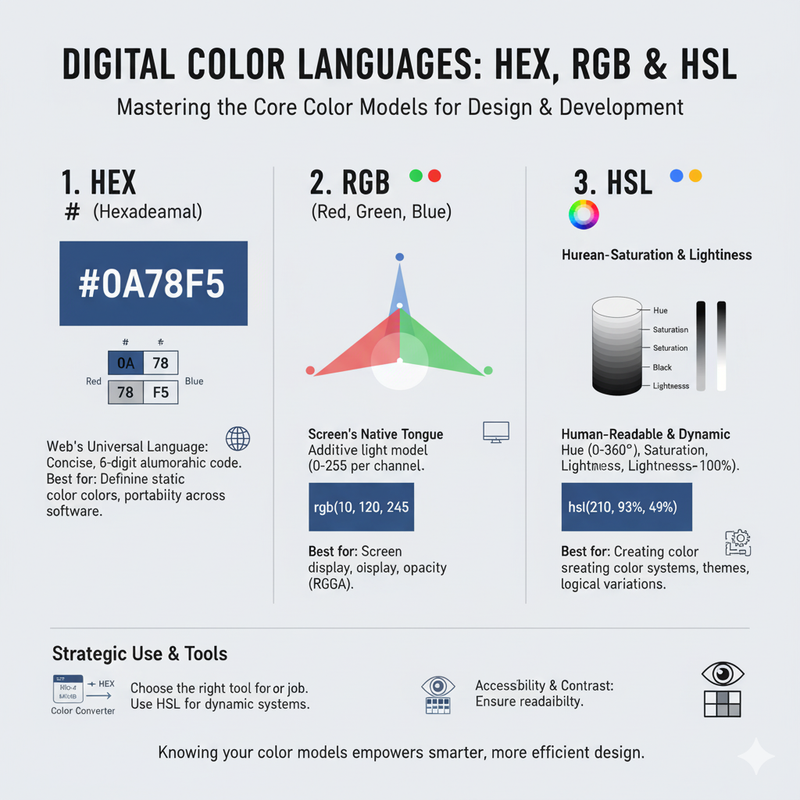
- RGB (Red, Green, Blue): This is an **additive** color model, meaning it creates a full spectrum of colors by mixing different intensities of red, green, and blue light. It's the native language of all digital screens. Each color channel is assigned a value from 0 (no intensity) to 255 (full intensity). For example, `rgb(255, 0, 0)` is pure red. `rgb(255, 255, 255)` is pure white. The RGB model is explicit and widely used in CSS, but it is not very intuitive for making creative color adjustments.
- HEX (Hexadecimal): This is the champion of color on the web, and it's essentially a shorthand for the RGB model. A HEX code is a six-digit alphanumeric code preceded by a hash (#). The six digits are broken into three pairs, with each pair representing the intensity of Red, Green, and Blue, respectively, using the hexadecimal system (00 to FF). For example, `#FF0000` is pure red, identical to `rgb(255, 0, 0)`. Its main advantages are its conciseness and universal support across all browsers and design software, making it perfect for sharing specific color values in style guides and CSS files.
- HSL (Hue, Saturation, Lightness): This is the most intuitive and human-readable format, as it aligns with how we naturally perceive color. **Hue** is the pure color itself, represented as an angle from 0 to 360 degrees on the color wheel. **Saturation** is the intensity of the color, as a percentage from 0% (gray) to 100% (fully saturated). **Lightness** is how bright or dark the color is, from 0% (black) to 100% (white). HSL is fantastic for programmatically creating color variations. Need a darker shade for a button's pressed state? Just decrease the lightness value by 10%. This predictability makes HSL a powerhouse for creating themes and design systems.
So, when should you use each one? Here's a practical guide:
**Use HEX when:** You are defining the final, specific, static colors in your CSS or style guide. It's the most common, compact, and universally understood format for web development.
**Use RGB (or RGBA) when:** You need to set a color with a specific opacity. The RGBA format (`rgba(255, 0, 0, 0.5)`) is arguably more readable for transparency than the 8-digit HEX format.
**Use HSL (or HSLA) when:** You need to create logical, predictable, and dynamic relationships between colors. It is the superior choice for theming, creating color scales, and any situation where you need to manipulate colors programmatically. This makes your color system incredibly flexible and easy to maintain.
While HEX and RGB are excellent for defining static colors, HSL excels at creating dynamic and systematic color relationships. The good news is that you don't have to choose just one. Our Color Converter tool is designed to bridge these worlds, allowing you to instantly translate any color between these formats, ensuring you always have the right format for the job.