
How to Use Gradients to Add Depth and Emotion
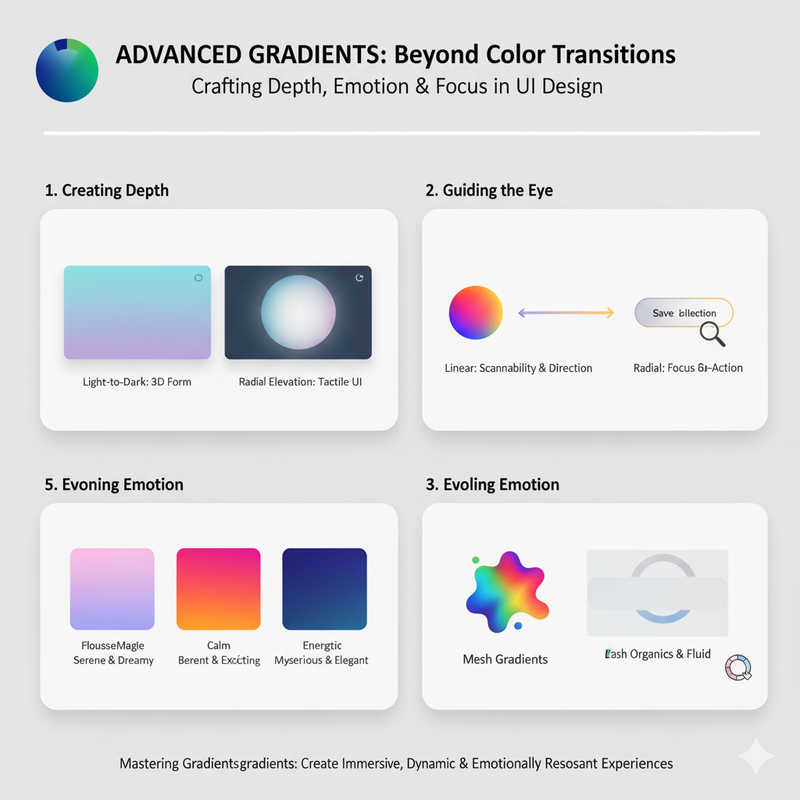
Gradients are more than just a color transition. Discover advanced techniques for using gradients to create depth, evoke specific emotions, and guide the user's eye. Gradients have made a huge comeback in design, but they are no longer the simple, two-color fades of the past. Modern gradients are complex, multi-tonal, and incredibly versatile. They can be used to add depth, create a sense of movement, and evoke powerful emotions. One of the most common uses of gradients is to create a sense of depth. By using a gradient that goes from a light color to a dark color, you can create the illusion of a three-dimensional space. This can make your design feel more tactile and immersive. You can use this effect on backgrounds, buttons, and other UI elements to make them feel more tangible. Gradients can also be used to guide the user's eye. A linear gradient can create a sense of movement and direction. For example, a gradient that goes from left to right can guide the user's eye across the page, following the natural reading direction. A radial gradient can be used to draw attention to a specific focal point. By placing a radial gradient behind a call-to-action button, you can make it the most prominent element on the page. But the most powerful use of gradients is to evoke emotion. The colors you choose for your gradient can have a huge impact on the mood of your design. A gradient of soft, pastel colors can feel calm and serene. A gradient of bright, vibrant colors can feel energetic and exciting. A gradient of dark, moody colors can feel mysterious and sophisticated. When creating gradients, it's important to choose colors that are harmonious. Analogous colors (colors that are next to each other on the color wheel) are a great choice for creating smooth, seamless blends. Complementary colors (colors that are opposite each other on the color wheel) can create a more vibrant, high-contrast look, but you need to be careful to avoid creating 'muddy' spots in the middle. Using a 'bridge' color can help to create a more harmonious transition. Don't be afraid to experiment with different gradient types. A linear gradient is a classic choice, but radial and conic gradients can create more unique and dynamic effects. Mesh gradients are a new and exciting option that allow for even more organic, multi-point blending. You can also layer multiple gradients to create more complex and rich visual effects. Our Gradient Lab tool is a great place to experiment with all of these techniques. It allows you to create and fine-tune linear, radial, conic, and mesh gradients with an intuitive, hands-on interface. You can see the results of your changes in real-time and export the CSS code when you're done. By mastering the art of gradients, you can take your designs to the next level. You can create interfaces that are not only beautiful but also more immersive, more engaging, and more emotionally resonant.