
How to Save and Share Color Palettes with Your Team
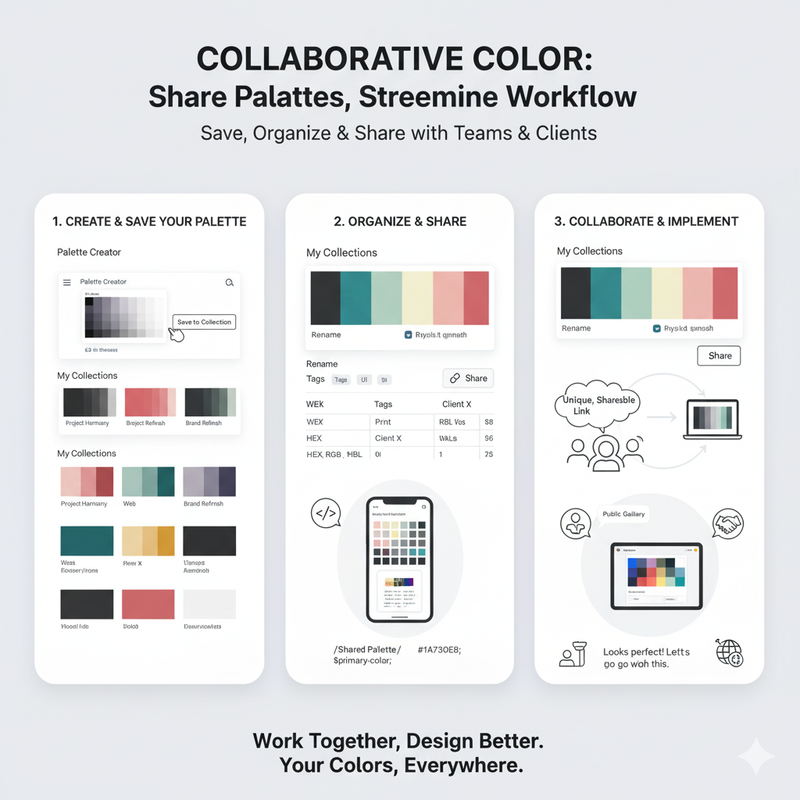
Collaboration is key. Learn how to save palettes to your personal collection and share them with colleagues and clients using a simple, shareable link. Design is rarely a solo activity. You're often working with a team of designers, developers, product managers, and clients. Effective collaboration is essential for creating great products, and a big part of that is having a single source of truth for your design assets. That's especially true for color. You need to ensure that everyone on your team is using the same colors to maintain brand consistency. That's why we've made it easy to save and share your color palettes. Our platform allows you to create a personal collection of your favorite palettes. Every time you create a palette in our Palette Creator, or find one that you like in our gallery, you can save it to your collection with a single click. Your collection is your own private library of color schemes. You can access it from any device, so your palettes are always with you. You can organize your palettes with names and tags, making it easy to find the right one for any project. But the real power of our platform comes from its sharing capabilities. We understand that you need to be able to share your work with others for feedback and implementation. That's why every palette in your collection has a unique, shareable link. You can send this link to anyone, even if they don't have an account on our platform. When they open the link, they'll see your palette in a beautiful, interactive preview. They'll be able to see all of the colors, along with their HEX, RGB, and HSL values. They can copy the values to their clipboard, or even export the palette in different formats. This makes it incredibly easy to hand off your color palettes to developers. They'll have everything they need to implement your colors accurately. It's also great for getting feedback from clients or other stakeholders. They can see the palette in context and provide their comments. You can also share your palettes with the broader design community. If you've created a palette that you're particularly proud of, you can make it public. It will then appear in our community gallery, where other designers can discover it, use it, and get inspired by it. This is a great way to give back to the community and build your reputation as a designer. In today's collaborative design environment, tools that facilitate sharing and communication are essential. Our platform is designed to be the central hub for all of your color-related work. It's a place where you can create, organize, and share your color palettes with ease. Start building your collection today and experience a more streamlined and collaborative design workflow.