
How to Avoid Common Color Mistakes in Web Design
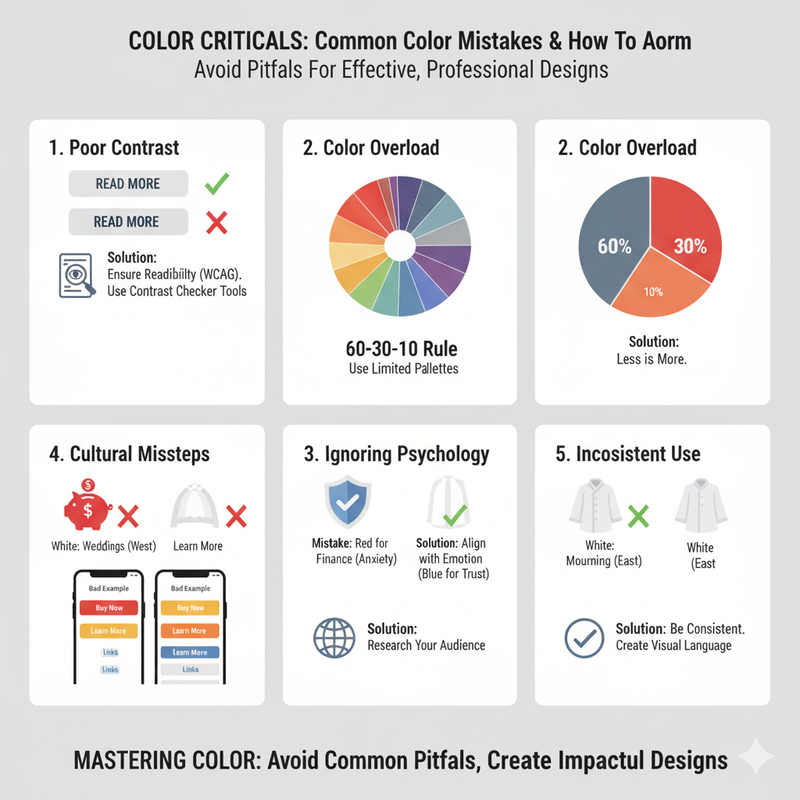
From poor contrast to color overload, many designs suffer from common pitfalls. We identify the top color mistakes and show you how to avoid them in your next project. Color can be a powerful tool in web design, but it can also be a source of common mistakes. A poor color choice can make a website look unprofessional, difficult to read, and even untrustworthy. By being aware of these common mistakes, you can avoid them and create designs that are both beautiful and effective. One of the most common color mistakes is poor contrast. If there isn't enough contrast between your text and background colors, the text will be difficult to read. This is a major accessibility issue and can make your website unusable for people with visual impairments. Always use a contrast checker tool to ensure that your color combinations meet the WCAG (Web Content Accessibility Guidelines) standards. Another common mistake is using too many colors. A website with too many colors can feel chaotic, cluttered, and unprofessional. It's best to stick to a limited color palette of two to three colors. Use the 60-30-10 rule as a guide: 60% of your design should be your primary color, 30% should be your secondary color, and 10% should be your accent color. This will create a sense of harmony and balance. Not considering color psychology is another mistake. Different colors can evoke different emotions, and it's important to choose colors that align with the message you want to communicate. For example, if you're designing a website for a bank, you'll want to use colors that convey trust and security, like blue. If you're designing a website for a children's toy store, you'll want to use bright, playful colors. Ignoring cultural differences in color perception can also be a problem. A color that is positive in one culture may be negative in another. For example, red is associated with luck and prosperity in China, but with mourning in South Africa. If you're designing for a global audience, it's important to research the cultural associations of your chosen colors. Inconsistent use of color is another common issue. Your color palette should be used consistently throughout your website. This creates a cohesive and professional look. For example, all of your call-to-action buttons should be the same color. All of your links should be the same color. This creates a clear visual language that is easy for the user to understand. Finally, a mistake is not testing your color palette. What looks good on your high-resolution monitor might not look good on a user's older, less calibrated screen. It's important to test your design on different devices and in different lighting conditions. You can also get feedback from users through A/B testing or user surveys. By avoiding these common color mistakes, you can create websites that are more effective, more user-friendly, and more professional.