
Color Trends in UI/UX Design for Mobile Apps
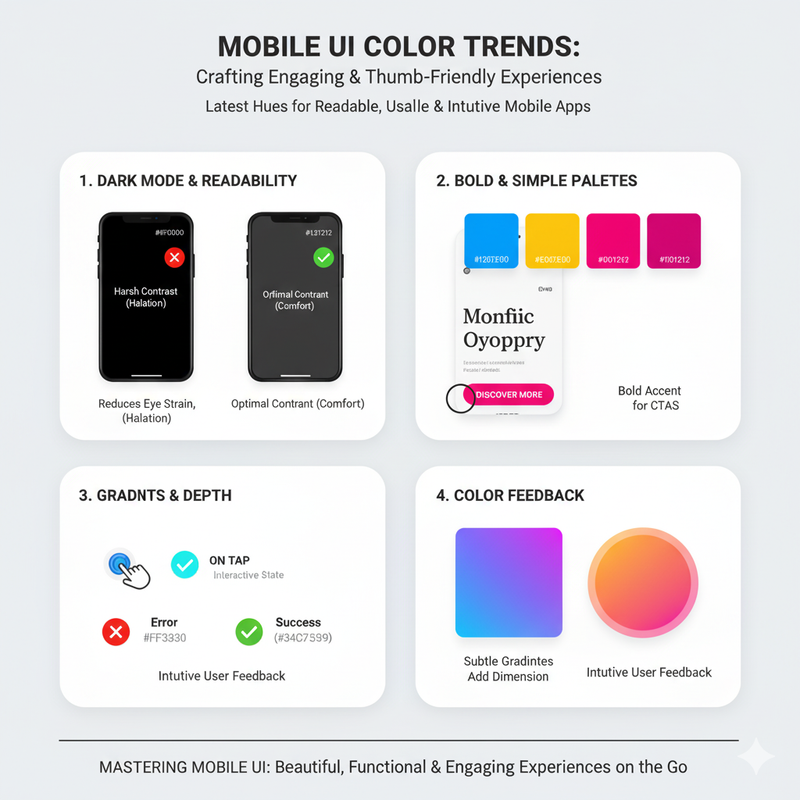
Mobile app design has unique challenges. We explore the latest color trends in mobile UI/UX, focusing on creating readable, engaging, and thumb-friendly experiences. Designing for mobile is different from designing for the web. The screens are smaller, the context of use is different, and the user's attention is more limited. All of these factors have an impact on the color choices you make. One of the biggest trends in mobile app design is the use of dark mode. Dark mode is not just a cosmetic feature; it has real benefits. It can reduce eye strain, especially in low-light conditions. It can also save battery life on devices with OLED screens. When designing a dark mode, it's important to choose colors that have enough contrast to be readable, but not so much that they are harsh on the eyes. A dark gray background is often a better choice than pure black, and an off-white text color is often better than pure white. Another trend is the use of bold, vibrant colors. Mobile screens are small, and you need to make the most of the space you have. A bold color palette can help to make your app stand out and create a strong visual identity. Bright, saturated colors can also be used to create a sense of energy and excitement. However, it's important to use them sparingly. A little bit of a bright color can go a long way. Use it for your most important elements, like call-to-action buttons. Simplicity is another key trend in mobile UI design. Because the screens are small, you need to keep your design clean and uncluttered. This often means using a limited color palette. A palette of two to three colors is often sufficient. You can use a neutral color for your background, a primary color for your main branding, and an accent color for your interactive elements. Gradients are also very popular in mobile app design. They can be used to add depth and dimension to a flat design. A subtle gradient on a button can make it feel more tactile and clickable. A gradient on a background can create a sense of atmosphere and mood. It's important to use gradients that are smooth and harmonious. A poorly executed gradient can look amateurish. The use of color to provide feedback is also an important aspect of mobile UX. When a user taps a button, it should change color to indicate that the action has been registered. When an action is successful, you can use a green color to provide positive feedback. When there is an error, you can use a red color to alert the user. This use of color makes the interface feel more responsive and interactive. Ultimately, the goal of mobile app design is to create an experience that is simple, intuitive, and enjoyable. Color is a powerful tool for achieving this goal. By following these trends and principles, you can create mobile apps that are not only beautiful but also a pleasure to use.