
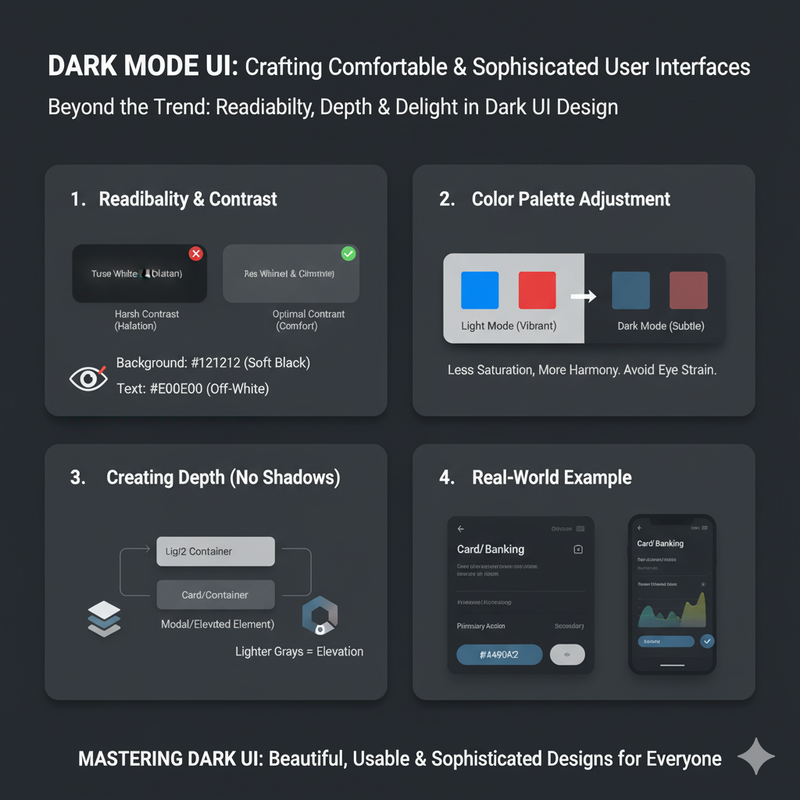
Best Color Palettes for Dark UI Designs
Dark mode is more than just a trend. We explore the best color palettes that work in dark UI, focusing on readability, depth, and creating a comfortable viewing experience. Dark mode has become a staple of modern UI design. It's not just a trend; it's a feature that users have come to expect. A well-designed dark mode can reduce eye strain, save battery life on OLED screens, and create a sleek, sophisticated look. But designing a good dark mode is not as simple as inverting your colors. It requires a thoughtful approach to color, contrast, and depth. One of the biggest challenges in dark mode design is maintaining readability. White text on a black background can be harsh on the eyes and can cause a 'halation' effect, where the text appears to bleed into the background. A better approach is to use a dark gray background instead of pure black. A color like #121212 is a popular choice. It's dark enough to provide the benefits of dark mode, but not so dark that it creates excessive contrast. For your text, instead of using pure white, use a slightly off-white color, like #E0E0E0. This will reduce the contrast slightly and make the text more comfortable to read. When it comes to your color palette, you'll need to make some adjustments for dark mode. Colors that look great on a light background can look garish or muted on a dark background. You'll need to choose colors that have enough contrast to be readable, but not so much that they are overwhelming. Saturated colors can be particularly problematic in dark mode. A bright, saturated color that looks great on a white background can appear to vibrate against a dark background, causing eye strain. A better approach is to use less saturated, more muted colors. You can take your brand's primary colors and create a darker, less saturated version for dark mode. For example, a bright blue could become a more muted, desaturated blue. This will create a more harmonious and comfortable viewing experience. Depth is another important consideration in dark mode design. In light mode, you can use shadows to create a sense of depth. In dark mode, shadows are less effective. Instead, you can use different levels of gray to create a sense of elevation. Your main background could be a very dark gray. A card or a modal could be a slightly lighter gray. This creates a subtle sense of depth and helps to organize the interface. It's also important to test your dark mode design in different lighting conditions. A design that looks great in a dark room might be difficult to see in a bright, sunny environment. You need to ensure that your design is usable in all conditions. Our platform includes a theme toggle that allows you to switch between light and dark mode, so you can see how your color palettes work in both contexts. Designing a good dark mode is a challenge, but it's also an opportunity to create a more thoughtful and user-friendly experience. By paying careful attention to color, contrast, and depth, you can create a dark mode that is not only beautiful but also a joy to use.