
5 Color Tools You Should Try in 2025
In the fast-paced world of digital design, the right set of tools can be a designer's best friend, acting as a creative partner that can dramatically streamline workflows and unlock new possibilities. This allows designers to focus on what truly matters: solving complex problems and creating beautiful user experiences. As we look towards 2025, the demand for sophisticated and intelligent color tools has never been greater. Whether you're a seasoned UI/UX designer, a brand strategist, or a front-end developer, having a powerful suite of color utilities is an absolute necessity. Here are five essential color tools from our suite that every modern designer should have in their arsenal.
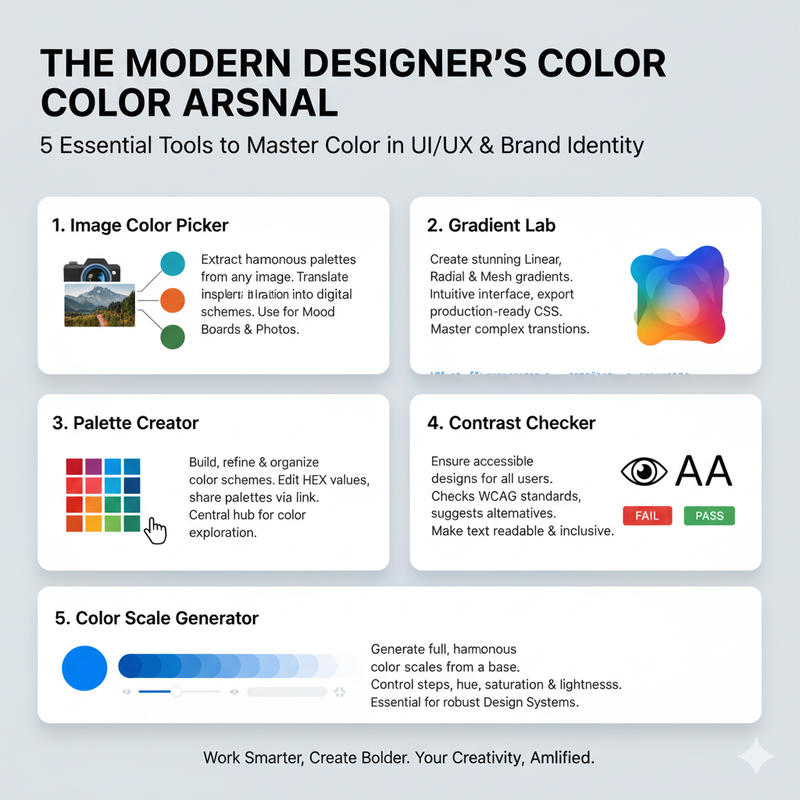
- 1. Image Color Picker: Inspiration is everywhere. Our Image Color Picker lets you capture that inspiration instantly. Simply upload any image, and our tool's algorithm will instantly analyze it and extract a harmonious palette of its most prominent colors. This is the fastest way to translate real-world or digital inspiration into a usable, digital color scheme. It's a bridge between the world of inspiration and the world of practical application.
- 2. Gradient Lab: Gradients are a cornerstone of modern UI design, and our Gradient Lab is your ultimate playground for creating them. You can create stunning, multi-color linear, radial, conic, and even the new, cutting-edge mesh gradients with an intuitive, hands-on interface. Fine-tune every aspect of your gradient, then export the production-ready CSS with a single click, ensuring a seamless transition from concept to development.
- 3. Palette Creator: This tool is your digital sandbox for building, refining, and organizing your color schemes. Start from scratch or import colors from a shared link. Drag and drop to reorder colors, edit their HEX values for precise adjustments, and when you're happy, share it with your team or clients for instant feedback via a unique, shareable link. It’s designed to be both powerful and intuitive, supporting rapid iteration and collaboration.
- 4. Contrast Checker: In today's digital world, accessibility is not a feature; it's a fundamental requirement. Our Contrast Checker tool helps you ensure your designs are inclusive and meet legal and ethical standards. It instantly checks your text and background color combinations against the latest WCAG standards for AA and AAA conformance. If your combination falls short, the tool doesn't just tell you there's a problem—it suggests accessible alternatives, making it effortless to find a combination that is both beautiful and readable for all users.
- 5. Color Scale Generator: Building a robust design system requires consistency and scalability. A color scale is a crucial component of any professional design system, providing a predictable range of shades for UI elements. Our Color Scale Generator takes a single base color and instantly generates a full, harmonious scale based on your specifications. You can control the number of steps, hue shift, saturation, and lightness. This tool is essential for creating professional, scalable, and maintainable design systems.
In a competitive digital landscape, working smarter is just as important as working harder. Integrating these specialized tools into your daily process will not only save you countless hours but will also empower you to make more informed, creative, and accessible design decisions. They transform color from something you just 'pick' to something you can truly 'engineer'.